

| My Personal Note — Why I Am Walking Away From Instagram: I am writing this article out of pure frustration and heartbreak. My primary personal Instagram account—which I created back in 2013 and maintained for 13 years—was permanently wiped out overnight by Meta’s automated systems, taking my linked Facebook profile and 13 years of irreplaceable personal videos and memories with it. Even worse, my backup account—created in 2016 and active for a full decade—was swept up in the exact same automated trap and locked behind a broken device-verification wall despite verifying every OTP. I am done. I am boycotting Instagram and walking away from the platform for good, and I am publishing this full investigation with my own screenshots so other users and creators understand how fragile their digital lives really are on Meta’s platforms. |
Over the past year, a quiet operational crisis has been unfolding across Meta’s ecosystem. While social media platforms have always reserved the right to moderate content, the combination of hyper-aggressive machine-learning enforcement and rigid hardware-level security checks has created a new category of digital loss: permanent account erasure with zero viable recovery path—even when users hold every valid credential.
For bloggers, content creators, and everyday users who rely on a single smartphone, Meta’s current authentication and appeal architecture is proving deeply flawed. When an automated flag hits an account, it no longer affects just a single post or profile; it can trigger a chain reaction that wipes out primary accounts, cascades to linked platforms, invalidates backup profiles, and traps users behind a device-verification wall that renders phone numbers, email addresses, and one-time passcodes (OTPs) completely useless.
To understand how this policy impacts real users on the ground, we can examine my own documented, multi-stage lockout involving a 13-year-old personal profile (created in 2013) and a 10-year-old backup account (created in 2016)—a case that mirrors thousands of similar reports surfacing across tech and creator communities in 2026.
Anatomy of a Total Lockout: A Documented Case Study
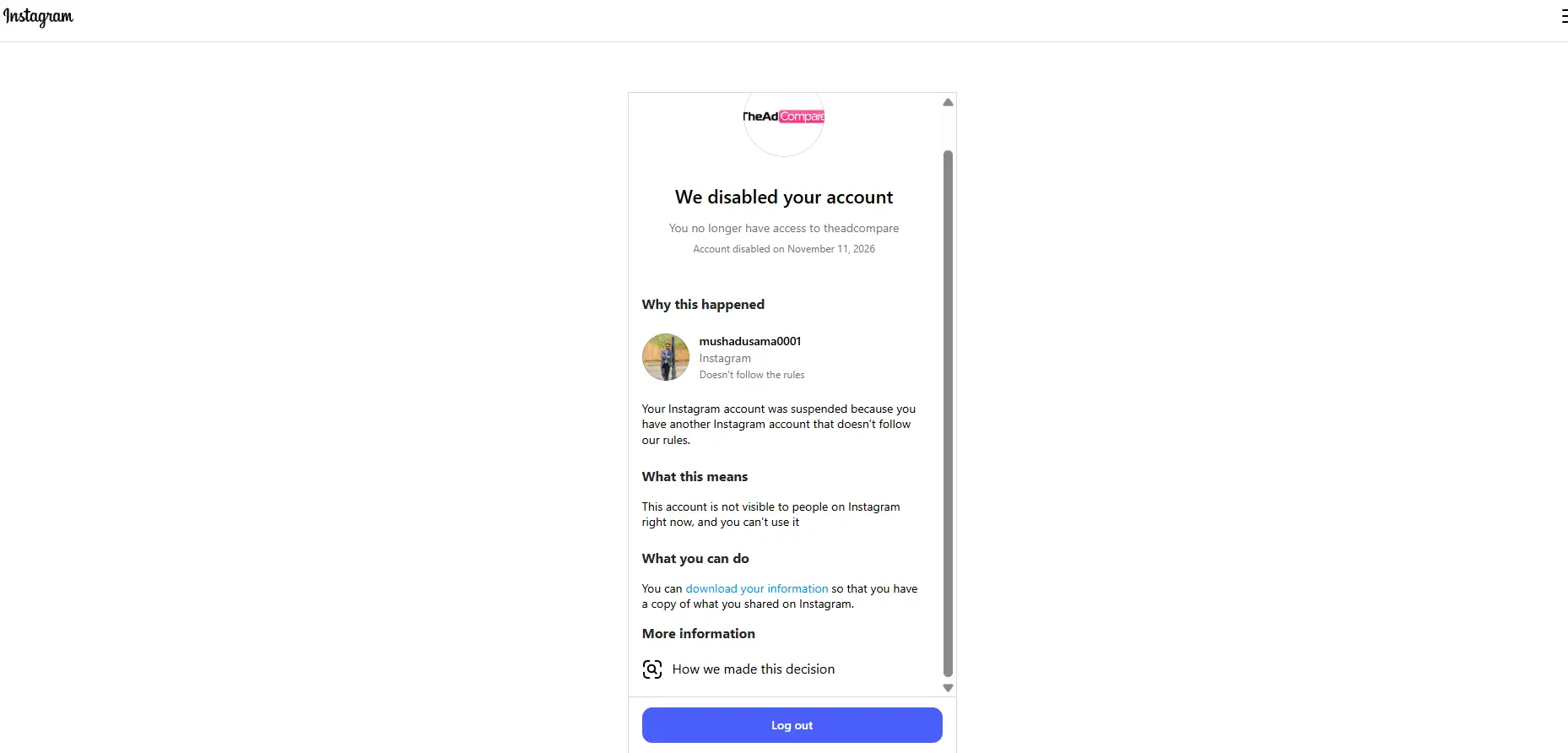 The most destructive part of Meta’s automated moderation is its interconnected punishment system. When I opened my blog’s TheAdCompare Meta page dashboard, I was hit with a devastating notice: my account had been disabled purely because a connected Instagram account had allegedly violated their rules. A single algorithmic flag on one profile acts like a domino, instantly wiping out linked brand pages, business assets, and years of publishing work without giving you a chance to defend yourself or separate your professional identity from your personal one.
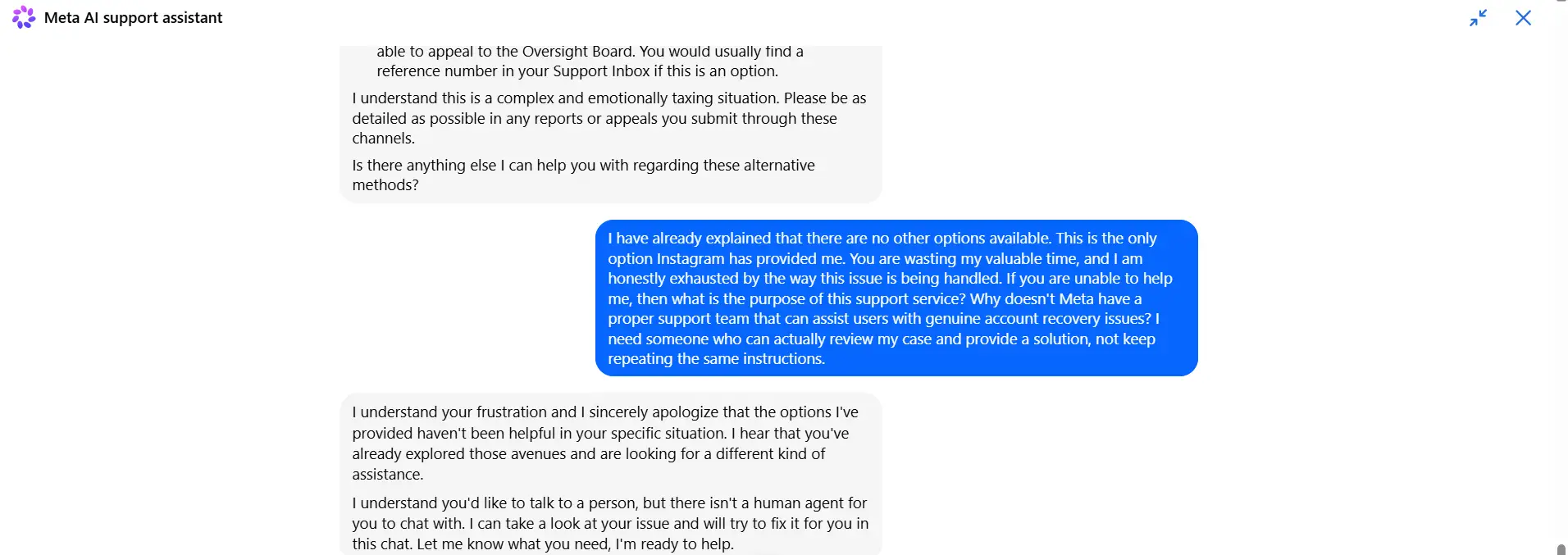
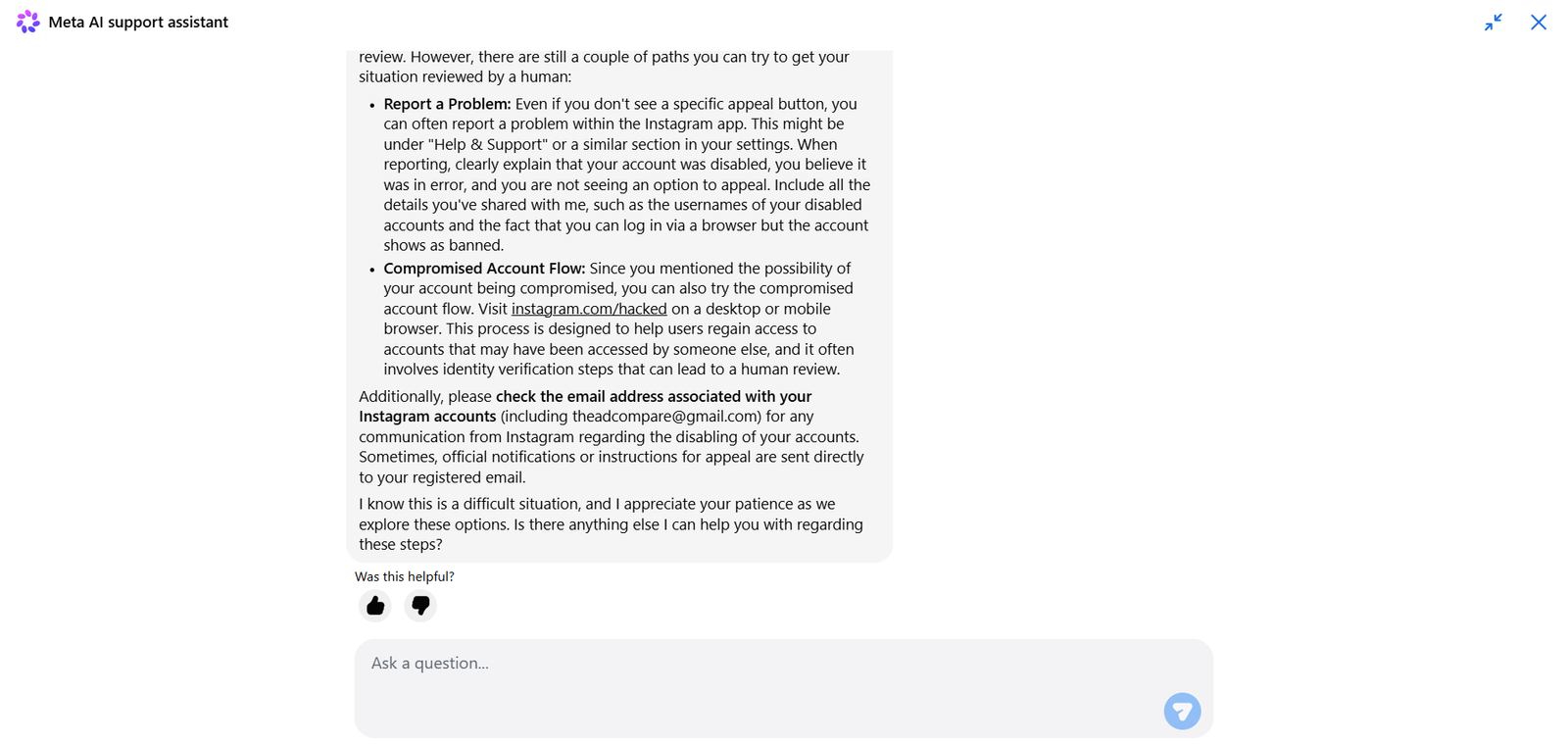
Here is my conversation with Meta’s Help Center. You can see how they handled my request, even though I specifically asked to speak with a human support agent instead of an automated assistant.
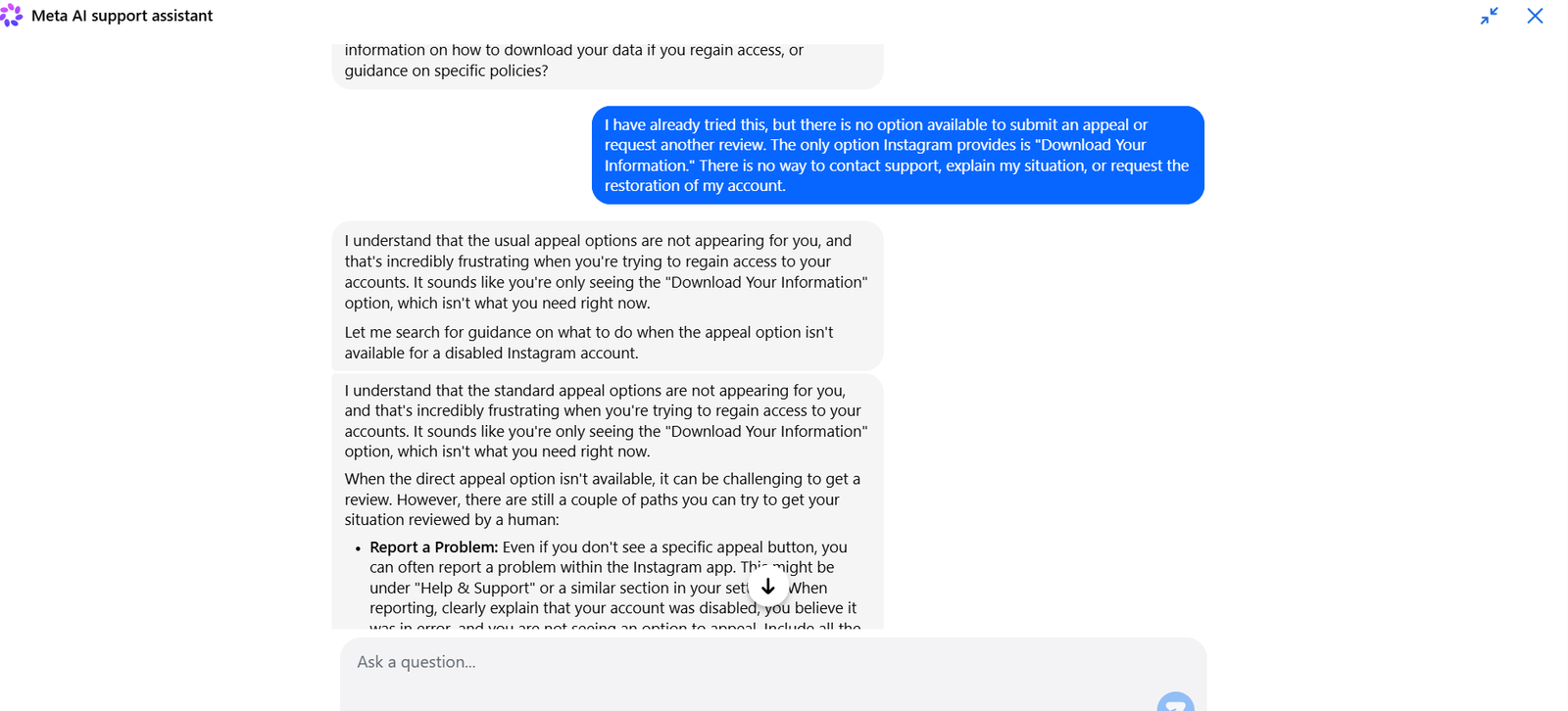
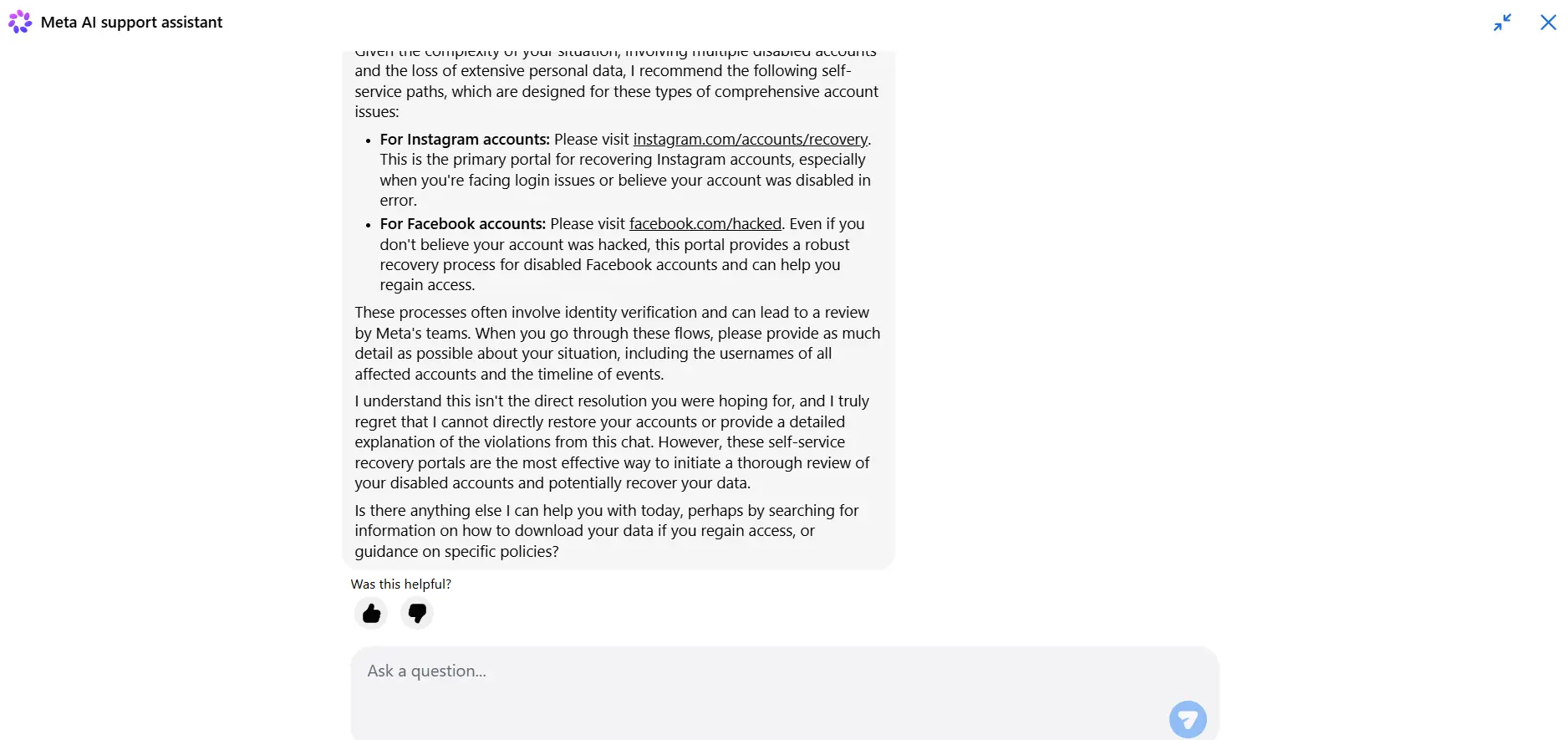
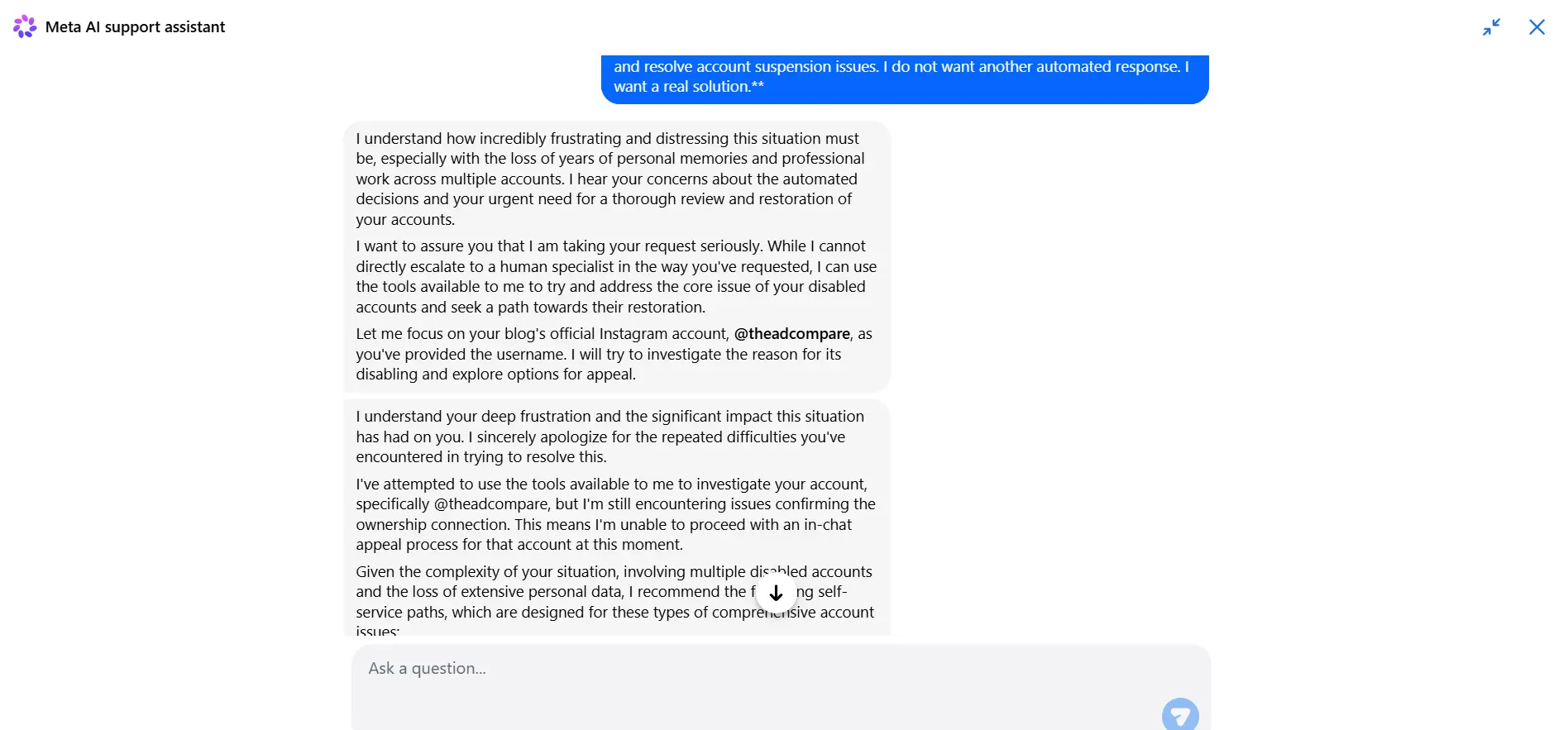
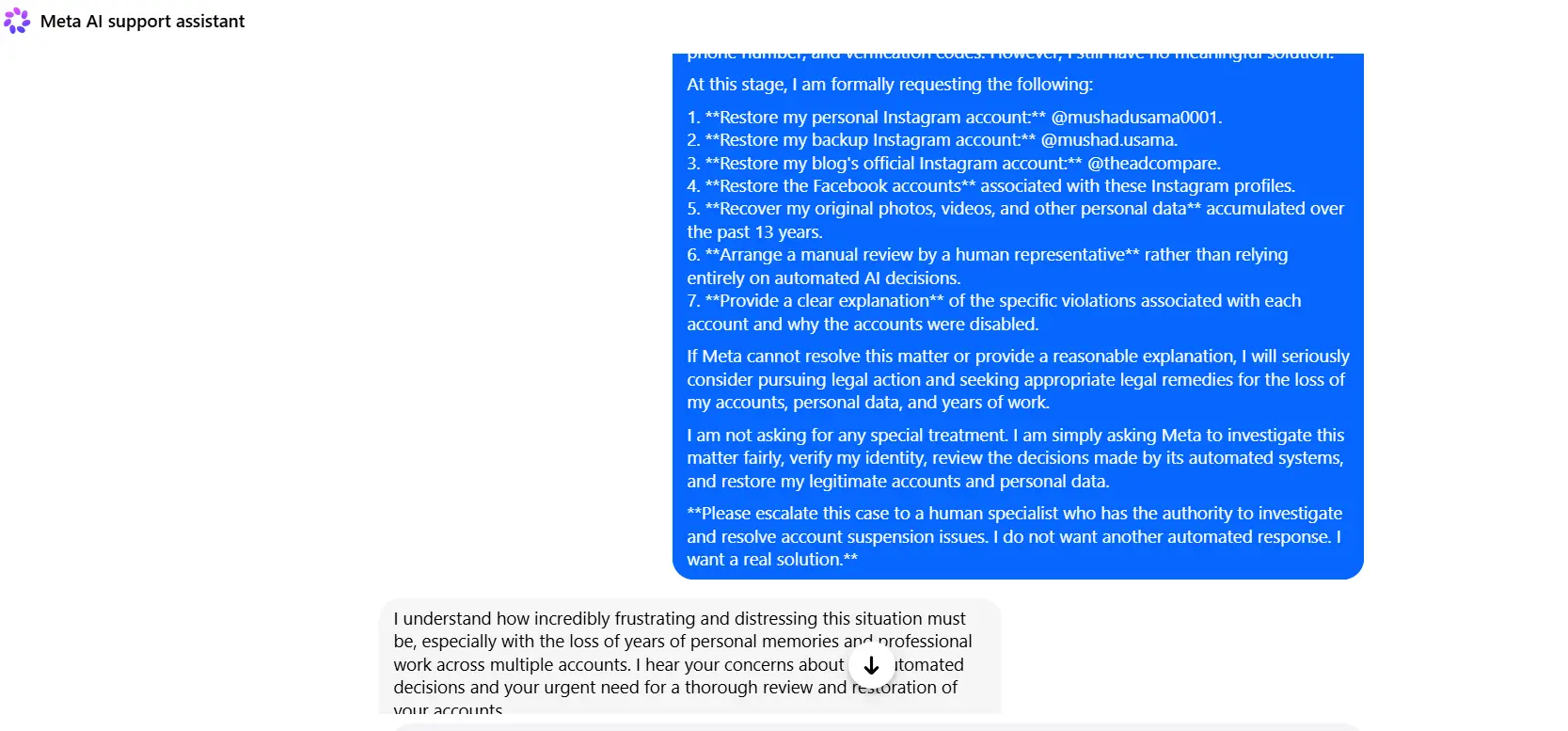
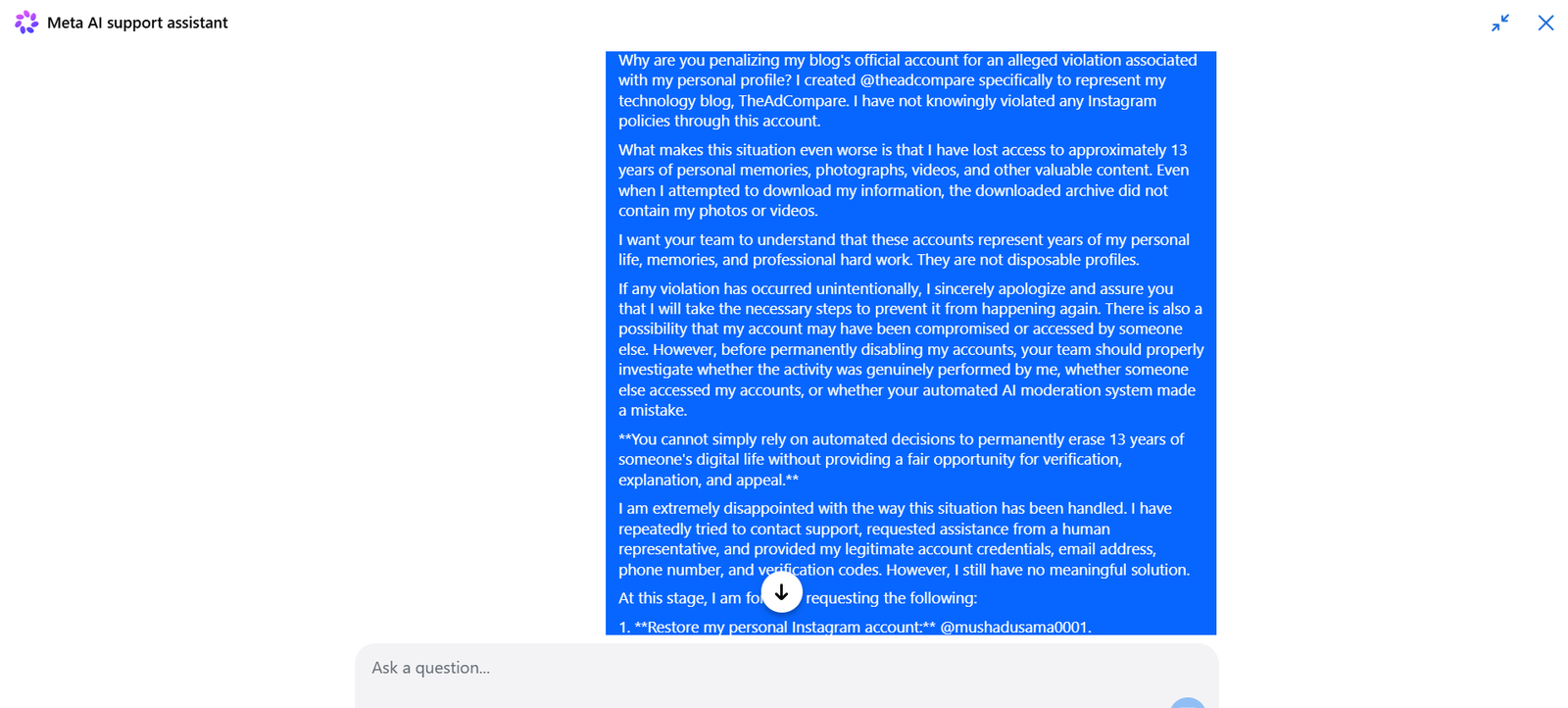
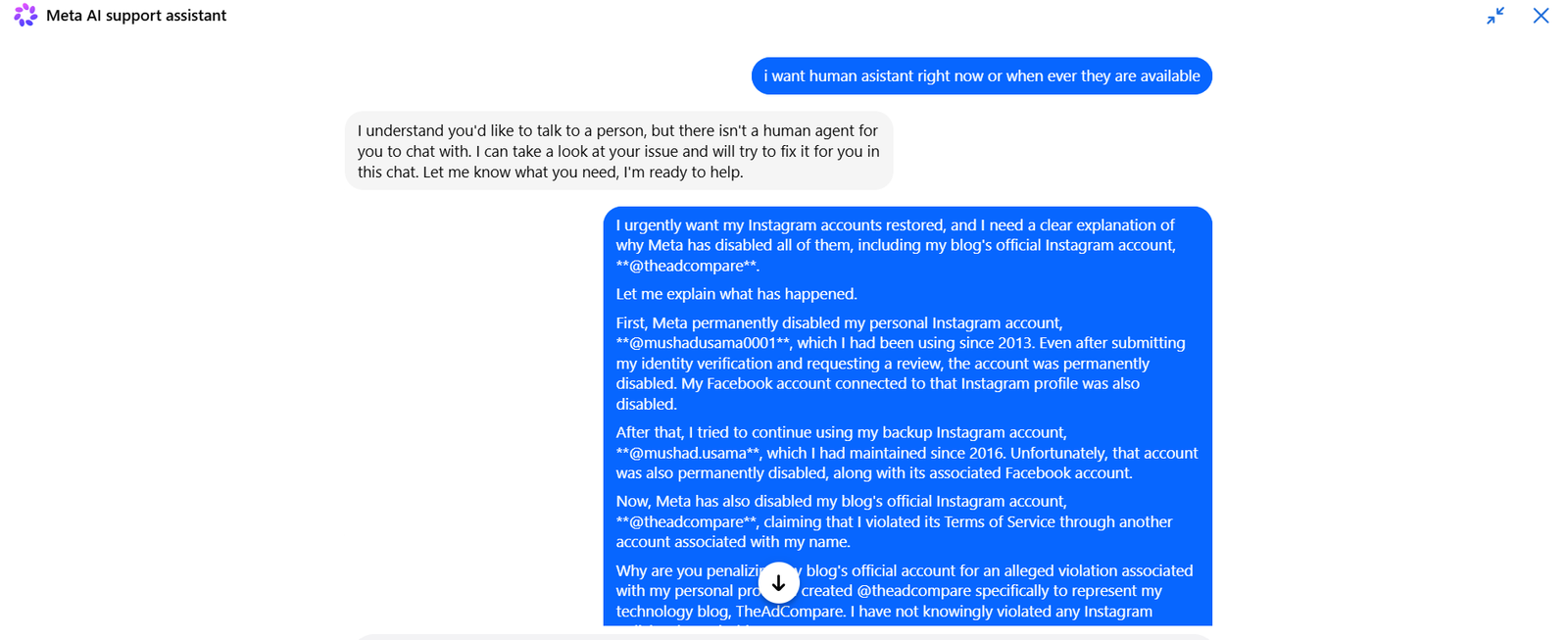
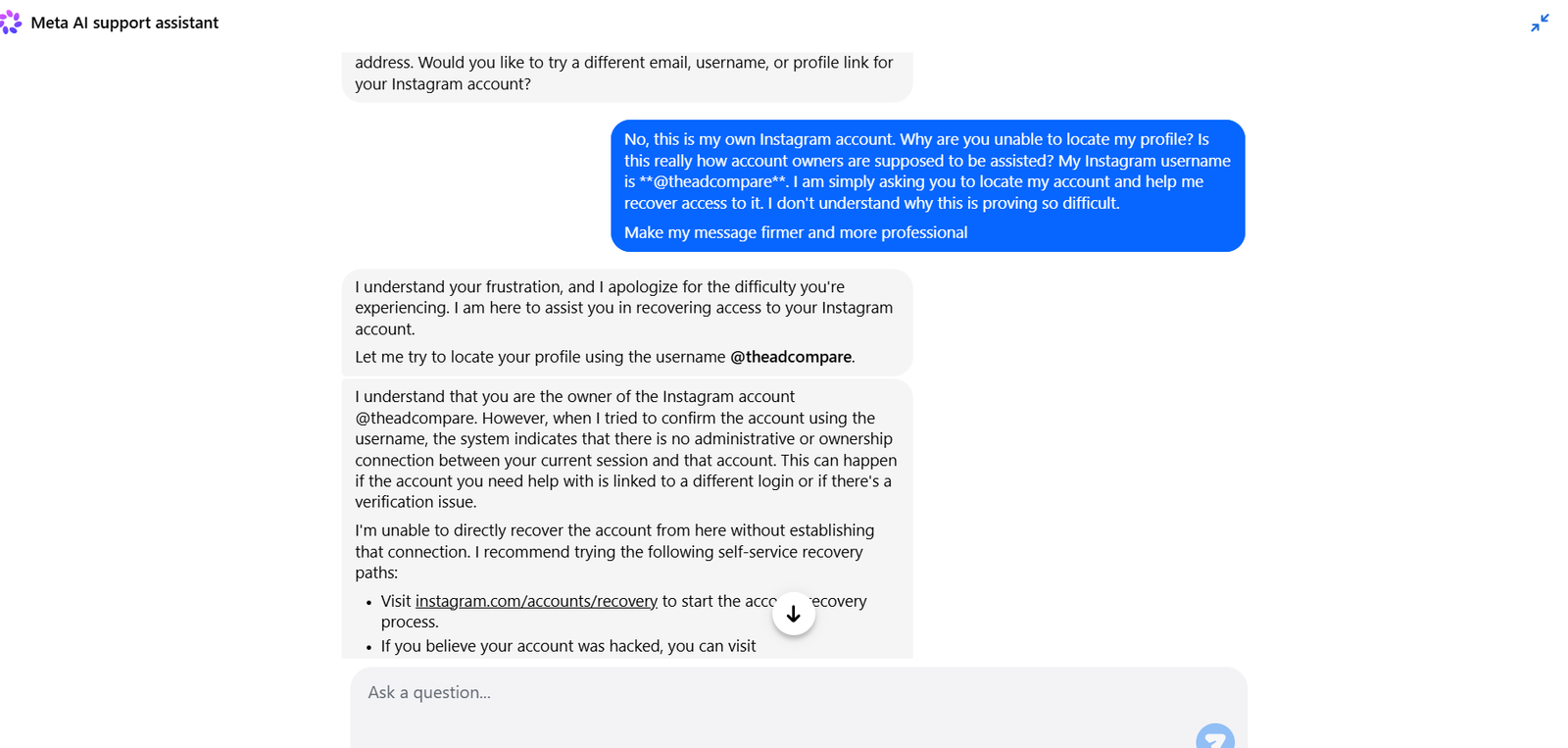
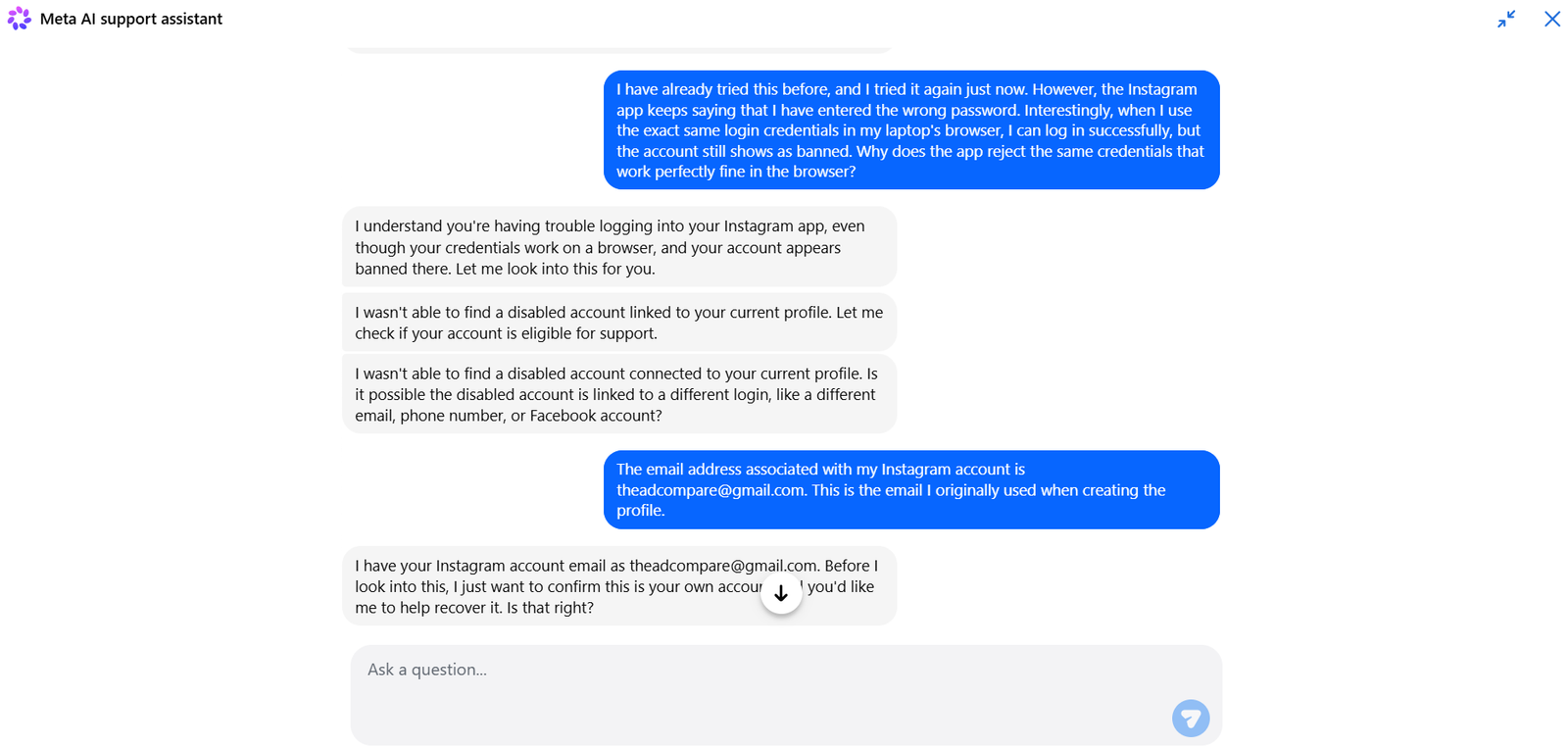
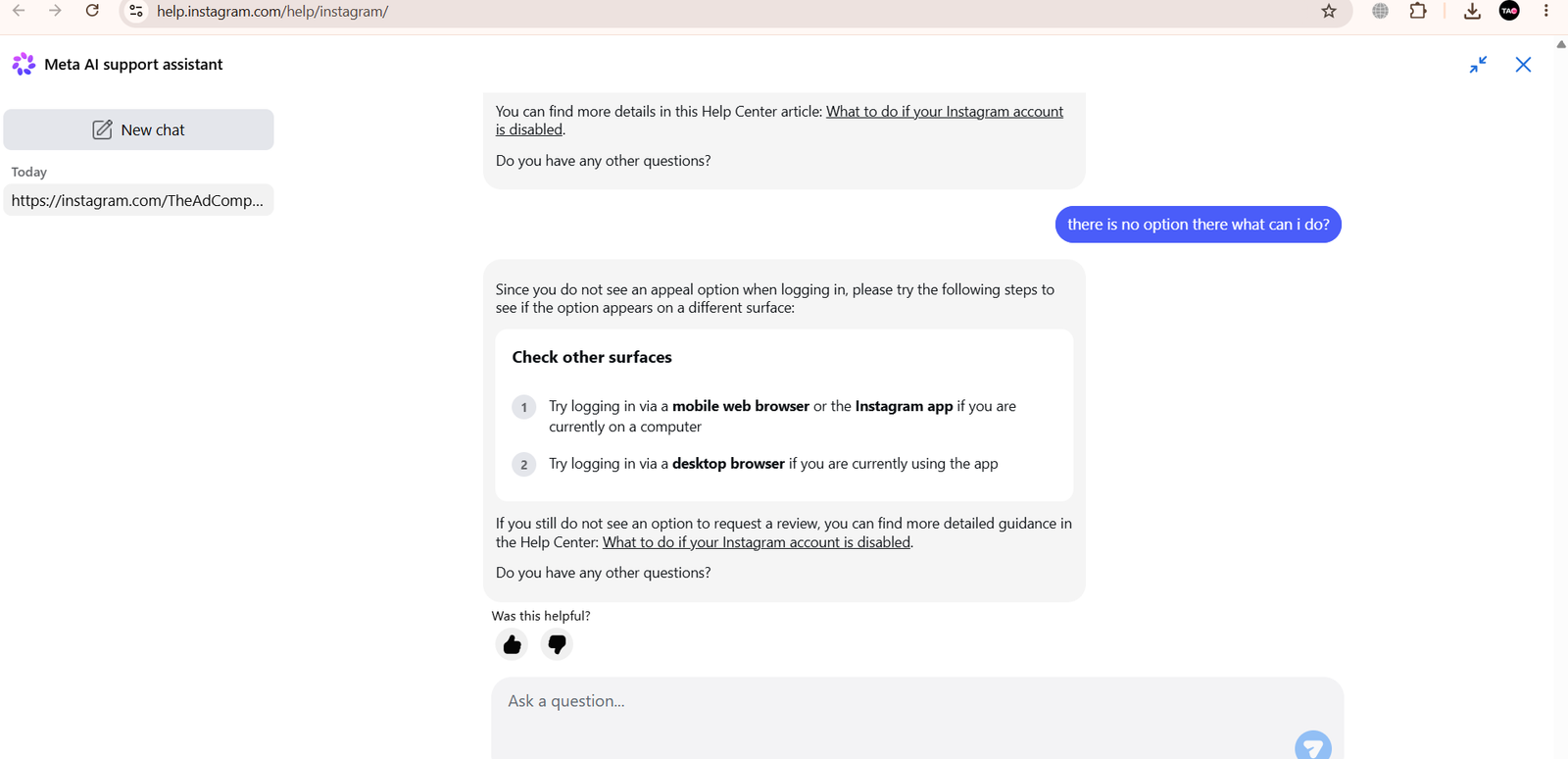
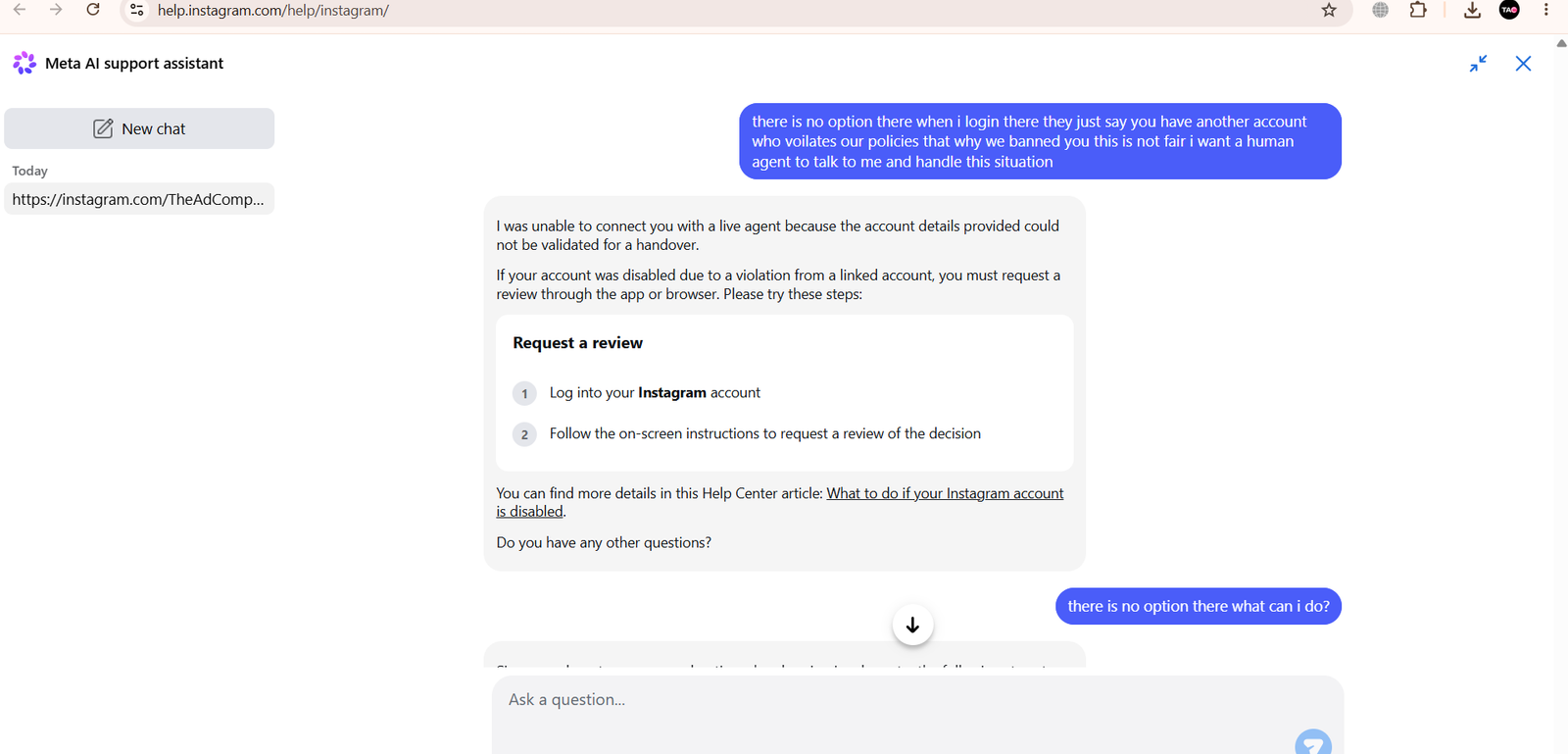
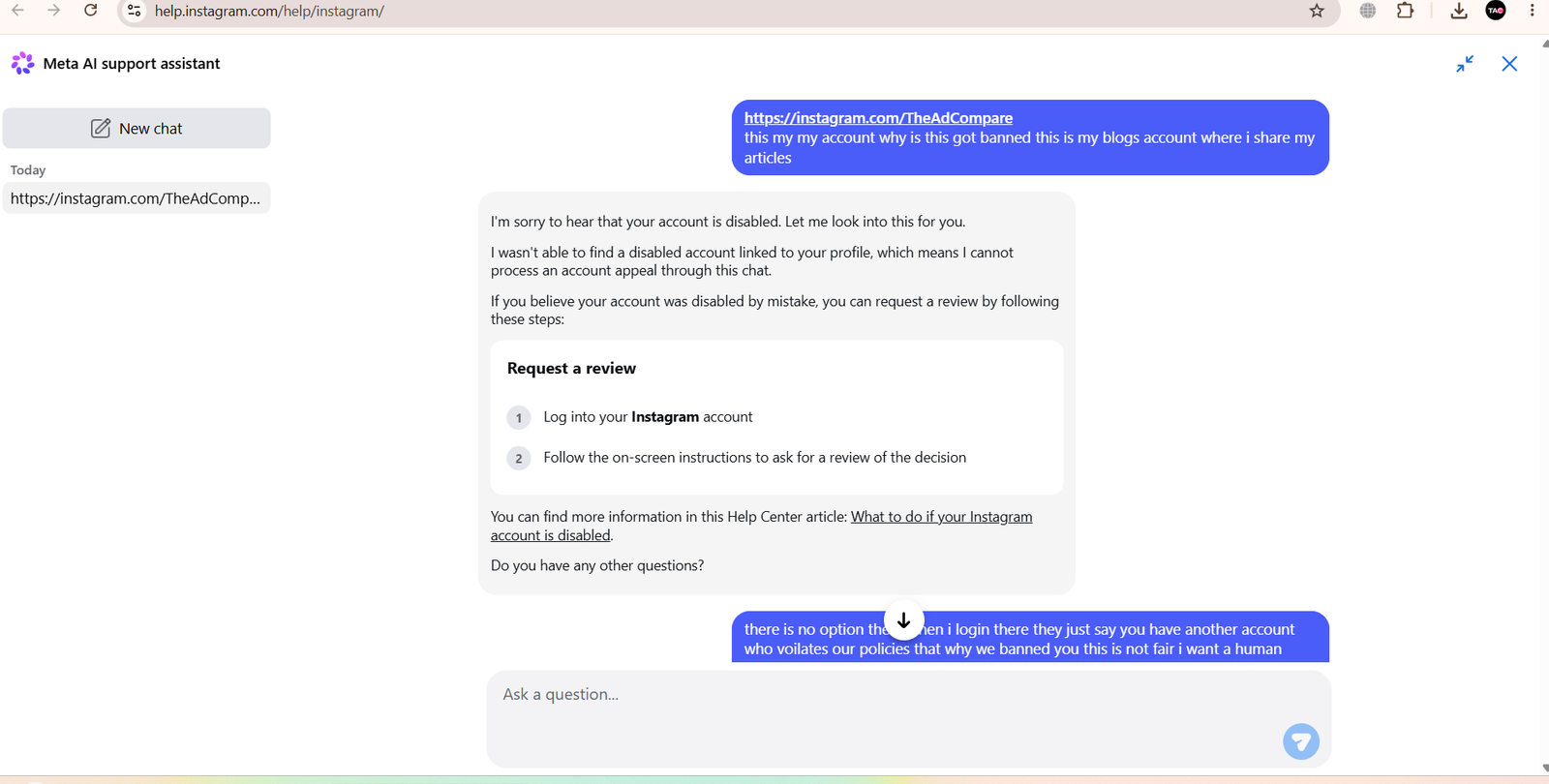
 In this case, I operated my primary personal Instagram account (@Mushadusama0001) for 13 years since creating it in 2013, using it both for digital publishing and as a personal archive for videos ahead of a planned vlogging series. Alongside it, I maintained a separate backup account created in 2016—a profile with ten full years of history.
-
The Automated Cascade and Failed ID Verification (2013 Primary Account)
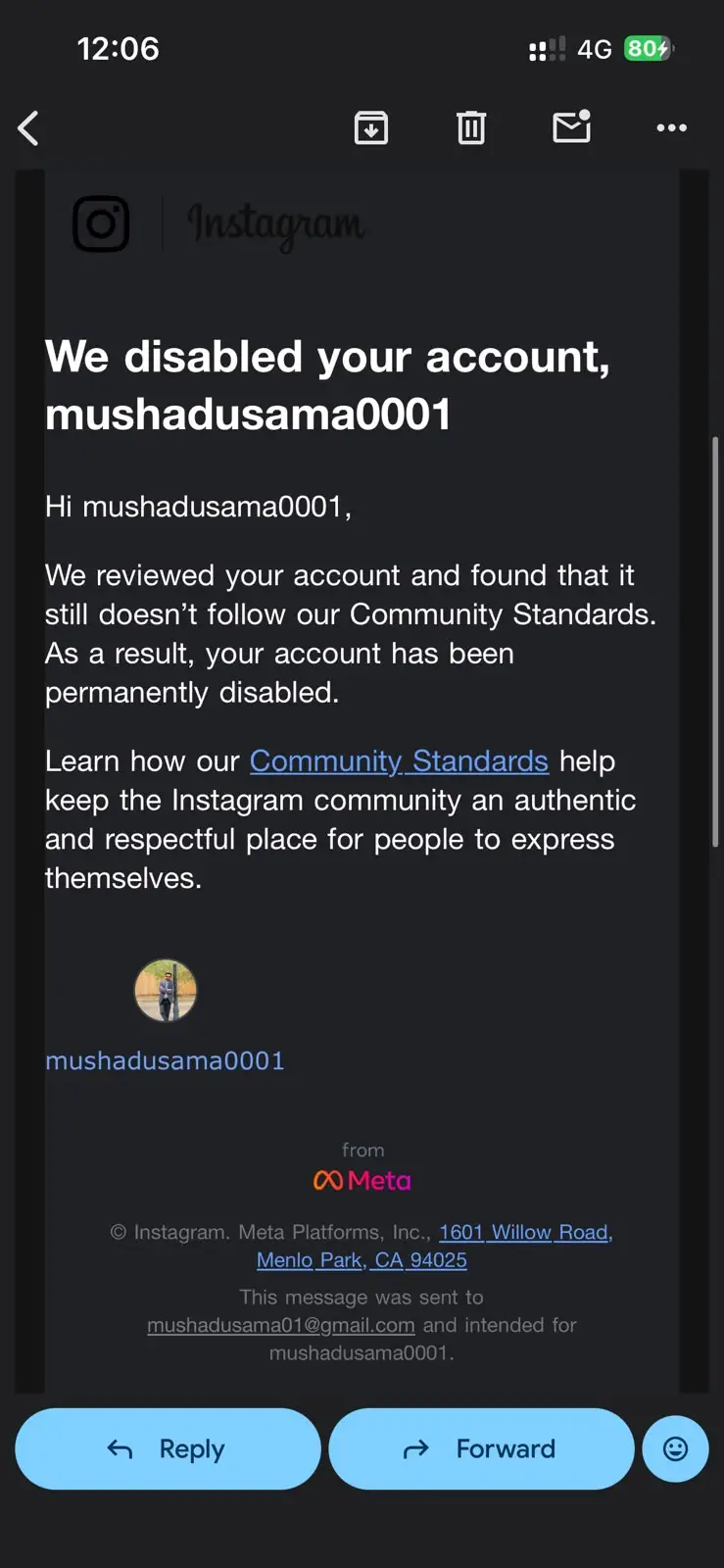
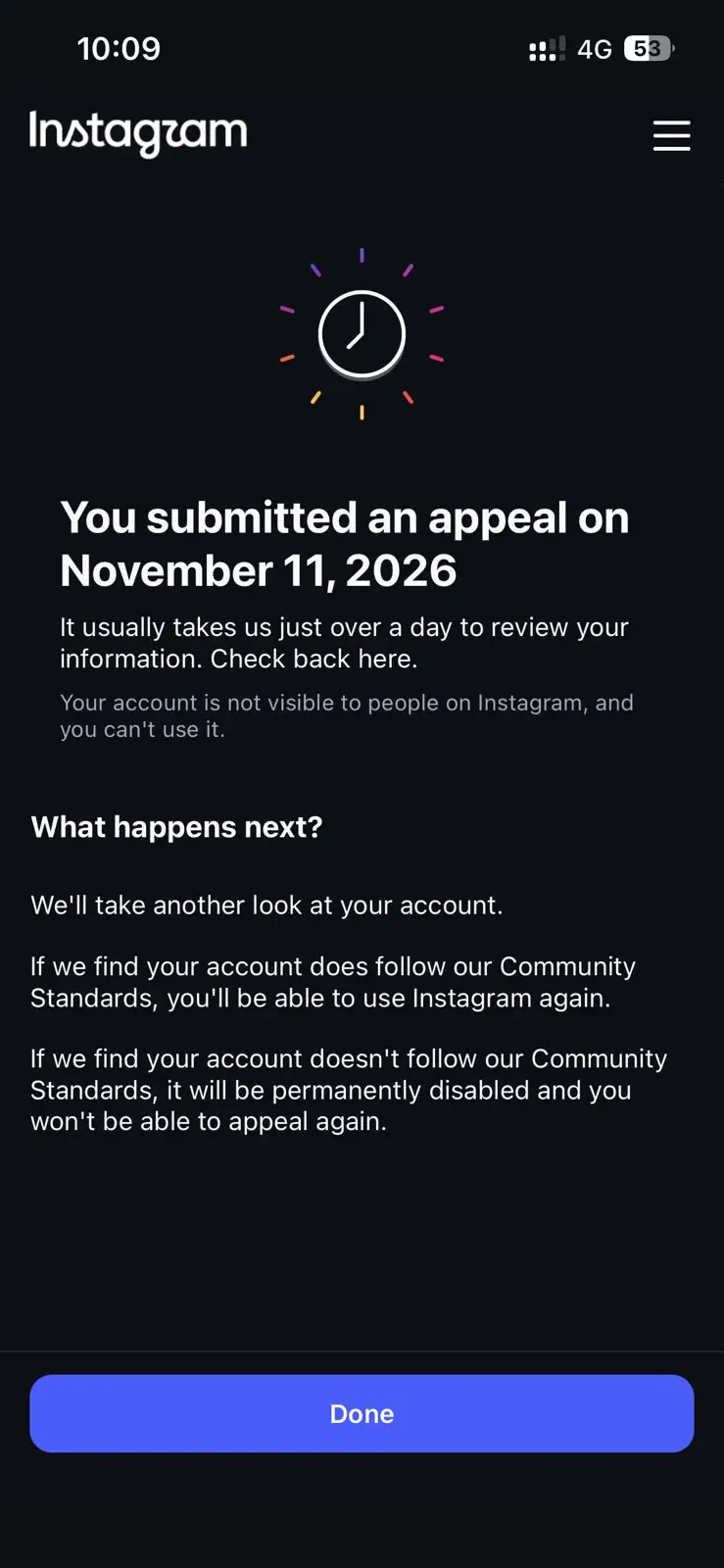 The sequence began not with a content violation, but with a routine mobile app login glitch that prompted repeated password resets. Immediately afterward, Meta’s automated moderation system suspended my 13-year-old account for alleged policy violations. Because the Instagram profile was linked via Meta’s Accounts Center, the suspension instantly cascaded to my connected Facebook account as well.
To contest the false positive, I complied with Meta’s full biometric and identity verification protocol—submitting my government-issued ID card and a live video selfie. Rather than triggering a human audit, the appeal was rejected by automated review, converting the suspension into a permanent ban without citing any specific post or rule breach.
-
The Data Portability Gap
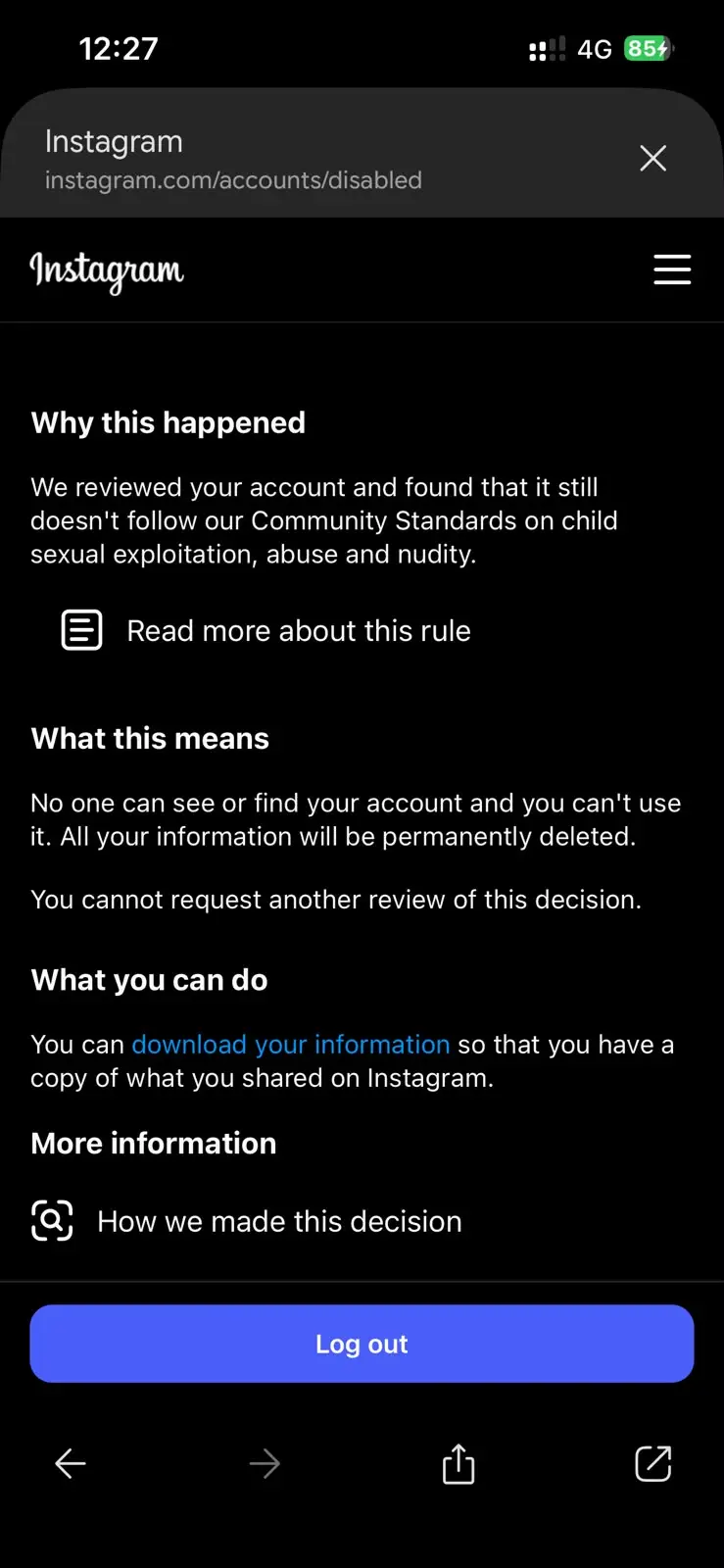 Upon permanent suspension, Meta’s interface offers a “Download Your Information” prompt. Without external backups of 13 years of video uploads, this export tool represented my sole mechanism to retrieve personal intellectual property and memories.
However, once downloaded and extracted, the archive contained zero photos and zero videos—returning only basic text logs, login timestamps, and contact metadata. Thirteen years of user-generated media remained locked behind the ban with no mechanism for retrieval.
-
Backup Account Collateral Damage and the “Another Device” Dead-End (2016 Backup Account)
Attempting to maintain an online presence, I turned to my secondary backup Instagram account—originally created in 2016—and its linked Facebook profile. Meta’s automated systems swiftly flagged and suspended those accounts as well. Although a subsequent review actually reversed the ban on the 2016 backup account—confirming no policy violation had occurred—access remained broken.
Initially, the Instagram mobile app rejected the reinstated account’s credentials with a false “Incorrect Password” error, even while the exact same password logged in cleanly via the Google Chrome web browser. Following standard troubleshooting advice—logging out of Chrome, uninstalling the Instagram app, and waiting 24 hours before reinstalling—I encountered an even more severe barrier: Meta’s device-matching security wall.
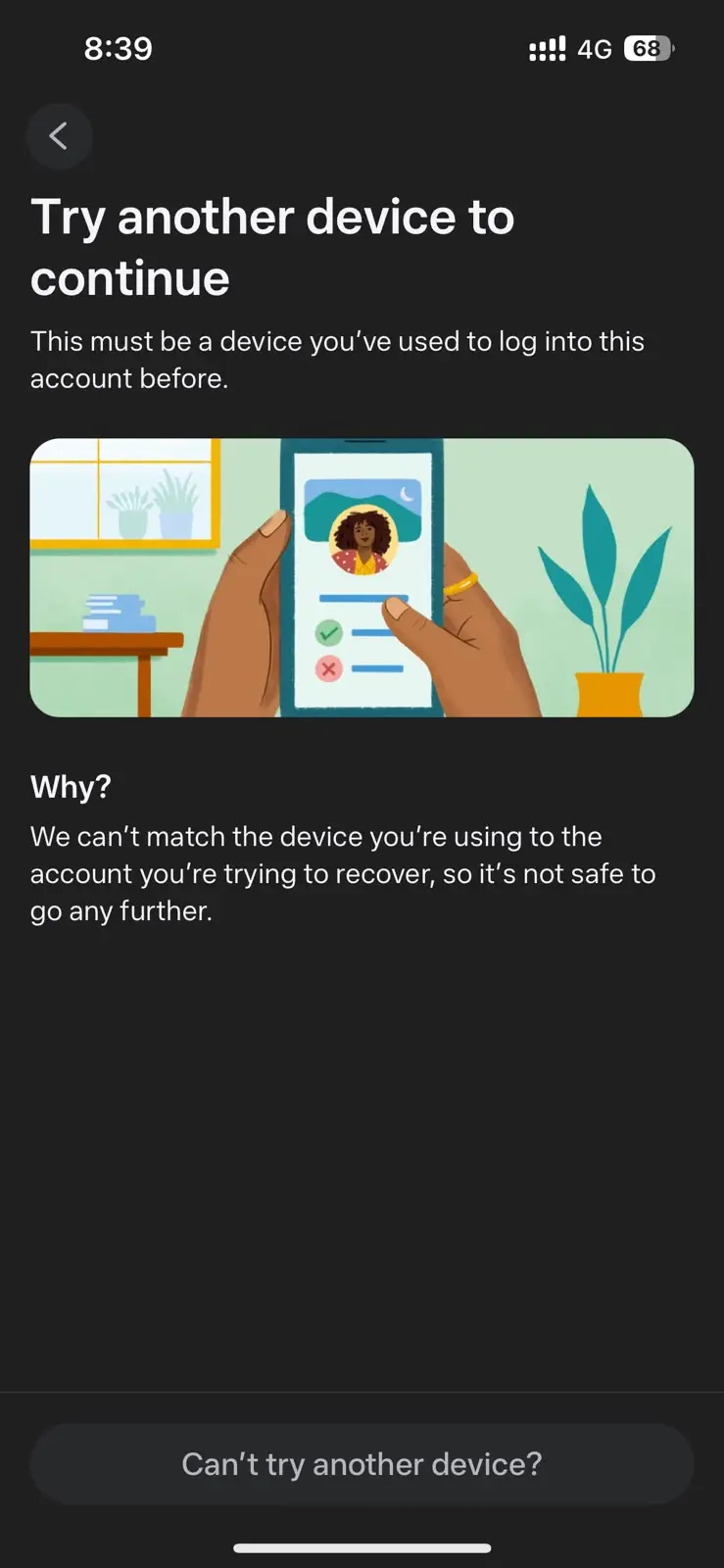
Despite entering the correct password and verifying ownership via OTPs sent to both my registered email address and phone number, Instagram blocked access with the notice:
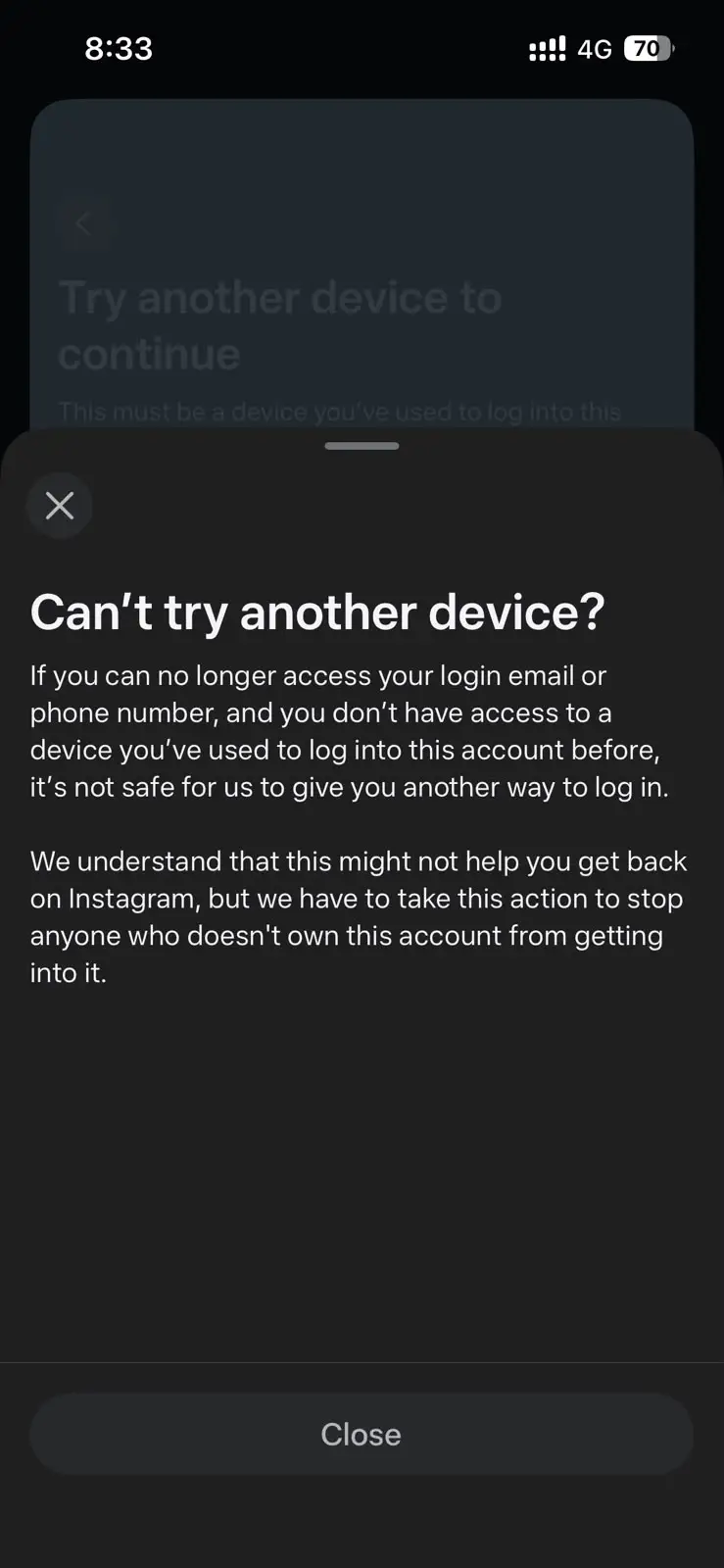
When tapping “Can’t try another device?”, the platform states plainly that if a user does not have a previously recognized device on hand, it will not provide any alternative recovery method—resulting in the permanent loss of my 10-year-old backup account (created in 2016) and all associated data as well.
To make matters worse, attempting to resolve the lockout through Meta’s AI support assistant proved completely futile. I repeatedly explained to the support system that I no longer had access to any previously recognized devices, while providing every legitimate proof of ownership I possessed—including my registered email address, phone number, and valid one-time passcodes (OTPs). Rather than offering an alternative verification route, the AI simply replied that it was “unable to help” and looped back to asking “How can I help you?” over and over again. After stubbornly persisting and continuing to ask them to recover my profile, the automated system ultimately stopped responding to me altogether—and just like that, I watched as my 10-year backup account was permanently disabled as well.
Why Meta’s Current Device & AI Policy Fails Everyday Users
This case highlights three structural flaws in Meta’s 2026 security and moderation model that put ordinary users at disproportionate risk:
- Single-Device Reality: Meta’s recovery flow assumes every user maintains multiple active, previously authenticated devices (such as a secondary smartphone, tablet, or desktop browser with persistent cookies). For millions of mobile-first users worldwide who operate from a single phone—and who clear cache or reinstall apps when troubleshooting bugs—wiping local app data severs the only “recognized device” token Meta accepts.
- Deprecation of Traditional 2FA Credentials: Historically, proving control over both a registered phone number and email address via OTP was the gold standard of account ownership. Under Meta’s current hardware-fingerprinting rules, valid OTPs and passwords are overridden if the app’s local device signature fails to match.
- Asymmetric Accountability: Platforms require users to surrender highly sensitive biometric data (video selfies and government IDs) to appeal automated errors, yet offer no human escalation path when their own authentication software fails to recognize a legitimate user’s device.
How Users and Creators Can Protect Their Digital Footprint
Until Meta introduces a human-verified recovery fallback for users locked out by device-mismatch loops and improves data export completeness for disabled accounts, digital professionals and everyday users must treat social media accounts as fragile endpoints rather than permanent storage:
- Maintain Independent Media Archives: Never upload original videos or photos to Instagram or Facebook without first saving local copies on an external drive or independent cloud storage. Disabled-account data downloads cannot be relied upon to return media files.
- Preserve Browser Sessions During App Glitches: If the Instagram mobile app throws an “Incorrect Password” loop while a web browser session still works, do not log out of the browser or delete the app until you have exported your data and added an authenticator app or backup codes from within that active browser session.
- Decouple Accounts Center Profiles: Keep primary, backup, and business profiles separated rather than linked under a single Accounts Center login, preventing a single automated flag from cascading across every profile you own.
- Anchor Your Audience on Owned Channels: Social platforms are subject to sudden policy and algorithmic shifts. Hosting your primary content on an independent website and maintaining a direct email list ensures that an automated lockout never severs your connection to your readers or customers.
